

AirBrush is a smart photo and video editing app built for people who want better-looking content without spending too much time on complicated editing tools. It brings everyday editing features and AI-powered tools into one place, making it useful for selfies, portraits, social media posts, and short videos.
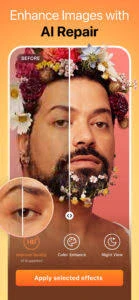
Users can smooth skin, improve facial details, apply AI filters, remove unwanted objects, adjust lighting, and make other visual changes directly from a phone. Instead of requiring advanced editing skills, AirBrush keeps most tools simple enough for beginners while still offering plenty of control for users who like to fine-tune their photos.
What makes this Android photo editor especially useful is the variety of edits it can handle. You can make a small correction to a portrait, clean up a distracting background, experiment with a completely different look, or prepare a photo for sharing online. This guide takes a closer look at AirBrush APK, its main editing tools, AI features, photo and video options, and the overall experience it offers on mobile devices.
What Is AirBrush APK?
AirBrush Android is a mobile photo and video editor that provides quick tools for improving, retouching, and customizing visual content. It is especially popular for portrait editing because users can make small changes to selfies and photos without learning complicated professional software.
The app combines regular editing controls with AI-powered features. You can smooth skin, remove blemishes, adjust facial details, erase unwanted objects, change backgrounds, apply filters, and improve the overall appearance of a photo. Many of these changes can be made with only a few taps.
Moreover, this photo editor is not limited to selfies either. Its editing tools can also be useful for travel photos, product pictures, profile images, social media content, and everyday photography. Video editing options add another layer for users who want to polish short clips directly from their phones.
Features That Make AirBrush Photo Editor Useful
The Android free app also includes a mix of simple editing controls and AI tools. Instead of moving between different apps for small corrections, users can handle many common photo and video edits from one place.
AI Filters
AI filters can quickly change the overall appearance of a photo. Users can experiment with different styles, tones, and effects without manually adjusting every setting.
Skin Smoothing
The smoothing tool helps soften the appearance of skin in portraits and selfies. Users can control the effect instead of applying an overly strong change to the entire image.
Object Remover
Unwanted people, signs, wires, or other distracting objects can sometimes spoil a good photo. AirBrush provides an object-removal tool that lets users select an unwanted area and clean it from the image.
Face Retouching
Portrait tools allow users to work on facial details, blemishes, skin tone, and other small areas. These controls are useful when a photo only needs a light touch-up rather than a complete transformation.
Background Editing
Moreover, the AirBrush app can help users work with photo backgrounds, including removing or changing them where supported. This can be useful for profile pictures, social posts, product images, and creative edits.
Photo Adjustments
Users can make basic corrections to brightness, contrast, color, and other visual settings. These controls are helpful when a picture looks too dark, dull, or unbalanced.
Video Editing
The Android application also supports video editing, allowing users to improve short clips without switching to a separate editor. Available tools can help with visual adjustments, effects, and other quick improvements before sharing a video.
How to Edit Photos with AirBrush APK?
The Android app keeps the editing process simple, so beginners do not need much time to understand the basic controls. After opening a photo, users can choose a tool based on the change they want to make and preview the result before saving it.
A normal editing session may include a few simple steps:
- Select a photo from your device.
- Crop or adjust the image if needed.
- Correct brightness, contrast, or other basic settings.
- Use retouching tools for small portrait improvements.
- Remove distracting objects when necessary.
- Try filters or effects to create a different look.
- Compare the edited image with the original.
- Save the finished photo when you are satisfied.
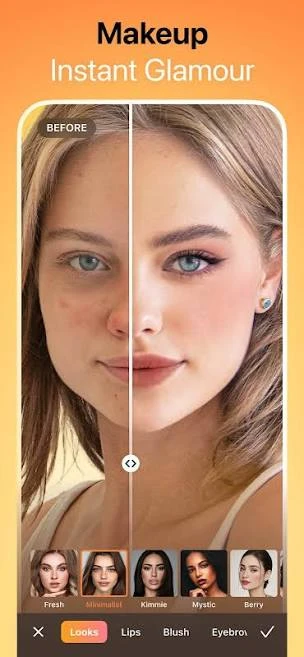
It is usually better to make small adjustments instead of applying every available effect. Light editing can improve a photo while keeping its details and overall appearance natural.
Enjoy AI Tools for Faster Photo Editing
The free app uses AI features to reduce the amount of manual work involved in common edits. Instead of carefully selecting every small detail, users can apply certain changes automatically and then review the result.
The AI tools can be helpful when you want to improve a photo quickly. Depending on the feature and app version, they may assist with portrait enhancement, object removal, background changes, filters, and other creative adjustments.
However, automatic editing does not always produce the perfect result on the first try. Busy backgrounds, unusual lighting, hair edges, or several objects close together can make some edits less accurate. Checking the image closely before saving helps you spot areas that may need another adjustment.
For everyday users, this balance between automation and manual control makes this amazing app convenient. AI can handle much of the initial work, while the available editing controls let you refine the final image yourself.
Making Selfies and Portraits Look Better
Portrait editing is one of the areas where AirBrush Download offers plenty of useful controls. A photo may already look good but still have small issues caused by lighting, camera angle, shadows, or temporary skin marks. The app lets users work on these details without rebuilding the whole image.
For a cleaner portrait, users can focus on a few areas:
- Soften visible skin texture when needed.
- Reduce the appearance of temporary blemishes.
- Adjust brightness around the face.
- Improve colors that look dull or uneven.
- Make small facial adjustments with available retouching tools.
- Apply a light filter to bring the image together.
- Compare the edited version with the original before saving.
Cleaning Up Photos With Object and Background Tools
A good photo can sometimes include something you did not notice while taking it, such as a person in the distance, a sign, a cable, or another distracting object. This amazing app provides editing tools that can help clean up these areas without requiring advanced editing skills.
With the object remover, users can mark the unwanted part of an image and let the app attempt to rebuild the surrounding area. Simple backgrounds usually give cleaner results, while detailed scenes may require more than one adjustment.
Background tools can also help when the original setting does not match the purpose of the photo. Users may remove, replace, or modify a background where the available tools support it. This can be useful for profile pictures, social media posts, product photos, and creative designs.
How to Download and Install AirBrush APK?
Installing the Air Brush app is straightforward when you use the official app store available on your device. Using an official source also makes it easier to receive future updates and reduces the risks that can come with modified installation files.
On Android
- Open the Google Play Store.
- Search for this app.
- Check the app name and developer details.
- Tap Install.
- Wait for the installation to finish.
- Open the app and review any permission requests.
- Select a photo or video to begin editing.
On iPhone and iPad
- Open the Apple App Store.
- Search for the application.
- Select the correct application.
- Tap Get and confirm the download if required.
- Wait while the app installs.
- Open it and complete the initial setup.
Plus, this application may request access to photos, videos, the camera, or other device features when they are required for editing. Review each permission and only provide access that matches the features you plan to use.
Free and Premium Editing Options
The Android application can be explored without immediately committing to every paid feature. The free experience gives users a chance to understand the interface, test available editing tools, and see whether the app fits their normal photo or video editing routine.
Some advanced tools, effects, filters, AI features, or other editing options may require a premium subscription. The exact selection can change as it receives updates, so it is better to check the current in-app details before subscribing.
Premium access may be more useful for people who edit content regularly and want a wider selection of tools. Someone who only makes occasional adjustments to personal photos may find the available free options enough for basic editing.
Where AirBrush APK Works Well and Where It Falls Short
The app offers a convenient editing experience, especially for users who prefer quick changes instead of complicated professional software. However, its usefulness depends on the type of editing you need.
What Works Well
- Simple interface for everyday editing
- Useful portrait and selfie retouching tools
- AI features can reduce manual editing work
- Object removal helps clean distracting areas
- Filters provide quick style changes
- Photo and video tools are available in one app
- Beginners can learn the basic controls quickly
- Manual adjustments provide extra control
Things to Keep in Mind
- Some advanced features may require payment.
- AI edits may not look perfect in complex photos.
- Heavy retouching can make portraits look unnatural.
- Video processing may take longer on older devices.
- Certain tools may change between app versions.
- Some edits work better with clear, high-quality images.
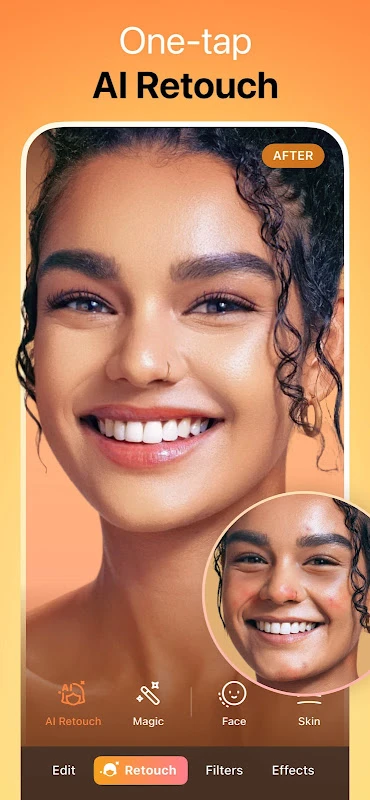
Simple Ways to Get Better Results
Good editing does not always mean using more tools. A few careful changes can often improve a photo while keeping the original details clear and natural.
- Start with the highest-quality photo available.
- Correct lighting before adding filters.
- Keep skin smoothing light on portraits.
- Zoom in when removing small objects.
- Check hair and clothing edges after changing a background.
- Reduce filter strength when an effect looks too strong.
- Avoid combining too many AI effects in one photo.
- Compare your edit with the original regularly.
- Save an original copy before making major changes.
- Check the final image at normal size before exporting it.
Common Problems and Quick Fixes
Most everyday issues with this app can come from permissions, storage space, internet access, or an outdated app version. Checking these basic areas first may save you from reinstalling the application.
Photos Are Not Appearing
Check whether it has permission to access photos and videos on your device. You can review this from your phone’s app permission settings.
An AI Tool Is Not Working
Some AI features may require an internet connection. Check your connection, restart the app, and try the editing tool again.
Editing Feels Slow
Close unnecessary apps running in the background and make sure your device has enough free storage. Large photos and videos may also take longer to process.
The App Keeps Closing
Update the app to the latest available version and restart your phone. If the problem continues, clearing temporary app data may help on supported devices.
Final Thoughts
Overall, AirBrush app brings photo retouching, AI tools, filters, object removal, background editing, and video features into one mobile app. Its biggest advantage is convenience. Users can make quick corrections or experiment with creative changes without learning a complicated editing program.
The app works particularly well for selfies, portraits, social media images, and everyday photos that need a little improvement. AI tools can speed up common tasks, while manual adjustments give users more control when automatic results need refining.
FAQs
Yes. The app is designed for editing photos and also provides tools for working with video content.
Yes. The app includes portrait tools for skin smoothing, blemish correction, filters, facial adjustments, and other selfie edits.
The app includes AI-powered features that can help automate certain photo edits and creative effects.
The Android app provides an object-removal feature that can help erase distracting elements from a photo, although results depend on the image.
Background editing tools may allow users to remove, replace, or modify backgrounds depending on the features available in their app version.
Leave a Comment